Showing posts with label SQL. Show all posts

Wednesday, 15 May 2013

SQL Query to find starting and ending date of every week in a month


DECLARE @iloop int
DECLARE @Tot_Weeks Int
DROP TABLE #Weeks
CREATE TABLE #Weeks(Weekno int identity(1,1),[Start Of Week] date, [End Of Week] date )
---Input the date Here
declare @dt date = cast('2013-06-01' as date);
declare @dtstart date =  DATEADD(day, -DATEPART(day, @dt) + 1, @dt);
declare @dtend date = dateadd(DAY, -1, DATEADD(MONTH, 1, @dtstart));
--Find the Total Number of Weeks
SELECT @Tot_Weeks = DATEDIFF (week, DATEADD (m, DATEDIFF (m, 0, @dtend), 0), @dtend) + 1
Set @iloop = 0
WHILE (@iloop < @Tot_Weeks)
BEGIn
PRINT @iloop
If(@iloop = 0)
Begin
INSERT INTO #Weeks
SELECT @dtstart as [Start Of Week] , Cast( DATEADD(s,-1,DATEADD(WK, DATEDIFF(WK,0,CAST(@dtstart AS DATE))+1,0))-1 as DATE) as [End Of Week]
End
ELSE IF(@iloop = (@Tot_Weeks-1))
BEGIN
INSERT INTO #Weeks
SELECT  Cast( DATEADD(WK, DATEDIFF(WK,0,CAST(@dtstart AS DATE)),-1) as Date) as [Start Of Week] ,  @dtend as [End Of Week]
END
Else
Begin
INSERT INTO #Weeks
SELECT  Cast(DATEADD(WK, DATEDIFF(WK,0,CAST(@dtstart AS DATE)),-1) as Date) as [Start Of Week] , Cast( DATEADD(s,-1,DATEADD(WK, DATEDIFF(WK,0,CAST(@dtstart AS DATE))+1,0))-1 as DATE) as [End Of Week]
End
Set @dtstart = DATEADD(DD,7,CAST(@dtstart AS DATE))
Print @dtstart
SET @iloop = @iloop + 1
END

Select * from #Weeks

Friday, 3 May 2013

Shortcut Key in SQL Server Management Studio


Shortcut Key in Sql Server Management Studio

Launching SSMS

START -> Run or press Windows + R, type ssms and click OK (or hit ENTER) which will launch SSMS.
You can also specify different parameters or switches
  • The -E switch will let you connect to the local instance using Windows authentication.
  • The -U switch is used to specify a user and -P to specify the password
  • If you want SSMS to connect to a specific database you can use the -d switch
  • If you want a script file to be opened in SSMS you can specify the location and name of the file. This will just open the file in SSMS and will not execute the code. If you need to execute a script file you can use the SQLCMD utility.
  • To close SSMS you can use ALT+F4.

You can simply open the SSMS or you can specify the -E switch to open SSMS and connect using Windows authentication. If the current user does not have sufficient permissions obviously it will fail.

When we open SSMS a splash screen appears while loading SSMS in the memory. You can specify -nosplash switch which opens SSMS without the splash screen.

You can use -? which gives you the different command options as shown below. 


Table Details

            If you select a table name in the query window of Sql Server Management Studio
and press ALT + F1 it will display the details of that table.

In the background shortcut key will execute sp_help on your behalf, so in this example it executes: sp_help users, which is much quicker than typing it.


Otherwise you can also use sp_columns test_tbl


Changing Databases

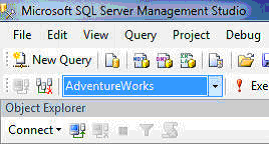
Once you are in a Query Window in SSMS you can use CTRL+U to change the database. When you press this combination, the database combo-box will be selected as shown below. You can then use the UP and DOWN arrow keys to change between databases (or type a character to jump to databases starting with that character) select your database and hit ENTER to return back to the Query Window.


Changing Code Case (Upper or Lower)

When you are writing code you may not bother with using upper or lower case to make your code easier to read. To fix this later, you can select the specific text and hit CTRL+SHIFT+U to make it upper case or use CTRL+SHIFT+L to make it lower case as shown below.


Commenting Out Code

When writing code sometimes you need to comment out lines of code. You can select specific lines and hit CTRL+K followed by CTRL+C to comment it out and CTRL+K followed by CTRL+U to uncomment it out as shown below.

 Indenting Code

As a coding best practice you should to indent your code for better readability. To increase the indent, select the lines of code (to be indented) and hit TAB as many times as you want to increase the indent likewise to decrease the indent again select those lines of code and hit SHIFT+TAB.


There are many shortcut keys that are listed below.

Action
SSMS-Shortcut Key
Display the Query Designer
CTRL+SHIFT+Q
Close a menu or dialog box, canceling the action
ESC
Cancel a query
ALT+BREAK
Connect
CTRL+O
Disconnect
CTRL+F4
Disconnect and close child window
ALT+F4
Database object information
ALT+F1
Go to a line number
CTRL+G
Remove comments
CTRL+SHIFT+R
Execute a query
F5 or Ctrl + E
New Query window
CTRL+N
Object Browser (show/hide)
F8
Parse the query and check syntax
CTRL+F5
Display results in grid format
CTRL+D
Display results in text format
CTRL+T
Use database
CTRL+U

Tuesday, 13 November 2012

Drop all tables from the Database

If u want to delete all User created tables from database.
This Query will help....


DECLARE @name VARCHAR(128)
DECLARE @SQL VARCHAR(254)

SELECT @name = (SELECT TOP 1 [name] FROM sysobjects WHERE [type] = 'U' AND category = 0 ORDER BY [name])

WHILE @name IS NOT NULL
BEGIN
    SELECT @SQL = 'DROP TABLE [dbo].[' + RTRIM(@name) +']'
    EXEC (@SQL)
    PRINT 'Dropped Table: ' + @name
    SELECT @name = (SELECT TOP 1 [name] FROM sysobjects WHERE [type] = 'U' AND category = 0 AND [name] > @name ORDER BY [name])
END
GO

Explanation: 
SELECT * FROM sysobjects 


Well, here is all the type definitions you find in sysobjects table :

D - default
F - SQLJ function
L - log
P - Transact-SQL or SQLJ procedure
PR - prepare objects (created by Dynamic SQL)
R - rule
RI - referential constraint
S - system table
TR - trigger
U - user table
V - view
XP - extended stored procedure

Category 2 is system objects and 0 is user created objects...
If u want to clean the database u can use below query on the third line.

SELECT @name = (SELECT TOP 1 [name] FROM sysobjects WHERE category = 0 ORDER BY [name])

Procedure to get Last Row for Non-Identity tables

I had an situation where i want to get the last row for Non_Identity Table.
Then i used this query to get the last row inserted into the table.


DECLARE GETLAST CURSOR DYNAMIC FOR 
SELECT [ColumnName] FROM [dbo].[TableName]

OPEN GETLAST

FETCH LAST FROM GETLAST

CLOSE GETLAST

DEALLOCATE GETLAST

Below screenshoot will explain